BIG INVOICE · Reports

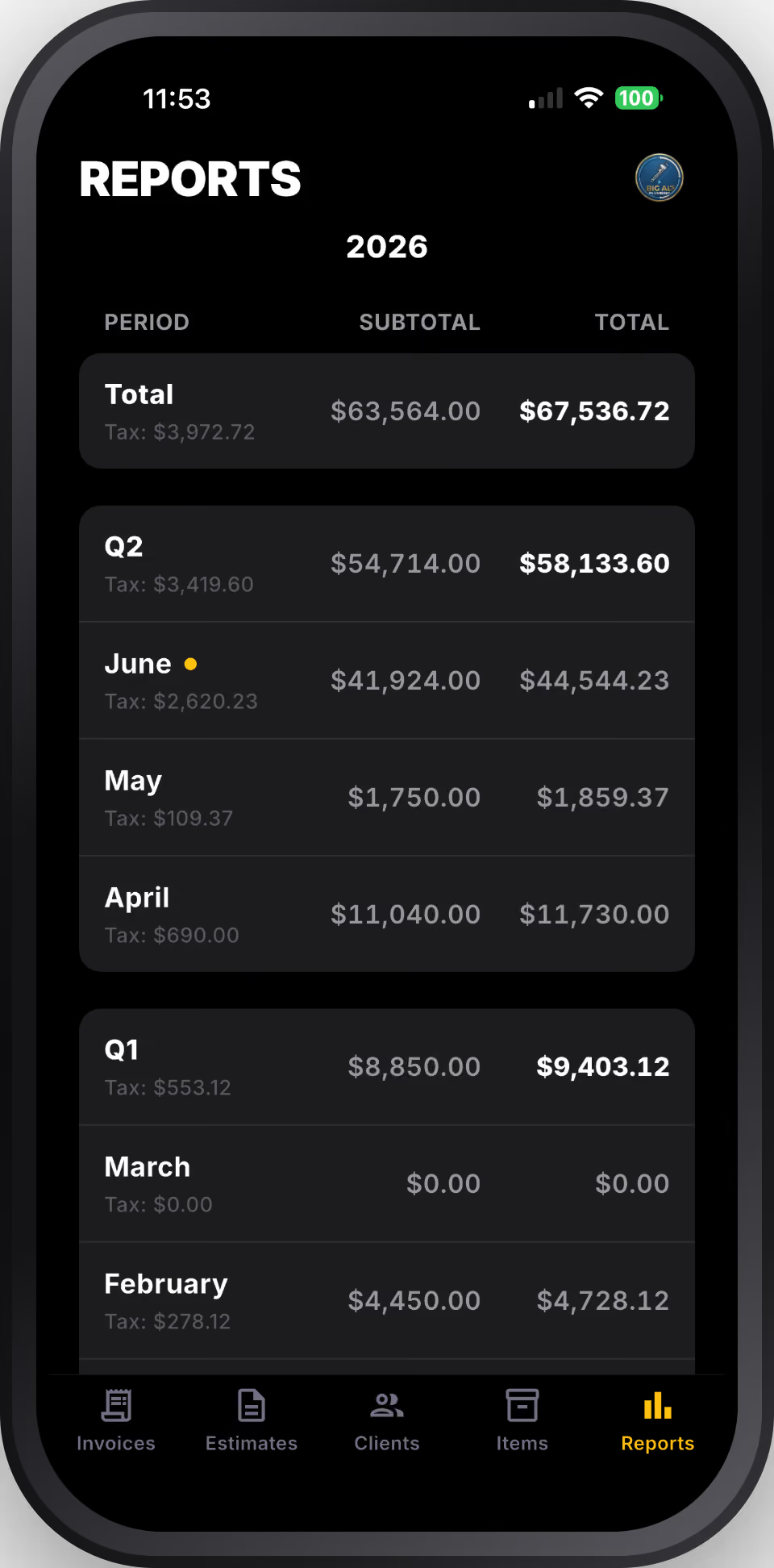
See how your business is actually doing.

Know your revenue, outstanding invoices, and busiest clients without touching a spreadsheet.

Get BIG INVOICE

How it works

Step 1

Open reports on the home screen

Your summary is right there when you open the app. No digging through menus. Revenue and outstanding invoices at a glance.

Step 2

Check outstanding invoices

See exactly what's unpaid, who owes it, and how long it's been outstanding. Know who to follow up with before it slips.

Step 3

Filter by date range

This week, this month, this year — tap to change the window. Compare slow months to busy ones. See your own patterns.

Step 4

See your top clients by revenue

Know who's actually keeping your business running. Your best clients by total billed — no math required.

Step 5

Export for your accountant at tax time

Hand your accountant a clean export instead of a shoebox. Revenue, payments, outstanding — everything they need, already organized.
Why reports in BIG INVOICE

You can't run a business on gut feel.

Busy doesn't always mean profitable. Knowing your actual revenue — not just how many jobs you did — is the difference between growing and just staying afloat.

Outstanding invoices are money you've already earned.

Most contractors leave cash on the table because they lose track of what's unpaid. A clear outstanding list means you follow up and actually get paid for the work you did.

Tax time shouldn't be a crisis.

When your invoicing is in one place all year, tax time is just an export. No scrambling through emails, no adding up receipts. Hand your accountant clean numbers and get on with your day.

Know your numbers. Run a real business.

BIG INVOICE is free to download. Track two jobs free, then $9/month for unlimited reporting.

Get BIG INVOICE for iOS